YouTube Banner Size 2026: Complete Guide (Updated Reference)
A properly sized YouTube banner is one of the most important branding elements for any channel on YouTube. Below is a clean, publication-ready reference guide covering dimensions, safe zones, device behavior, and upload instructions.
YouTube Banner Size (2026 Quick Reference)
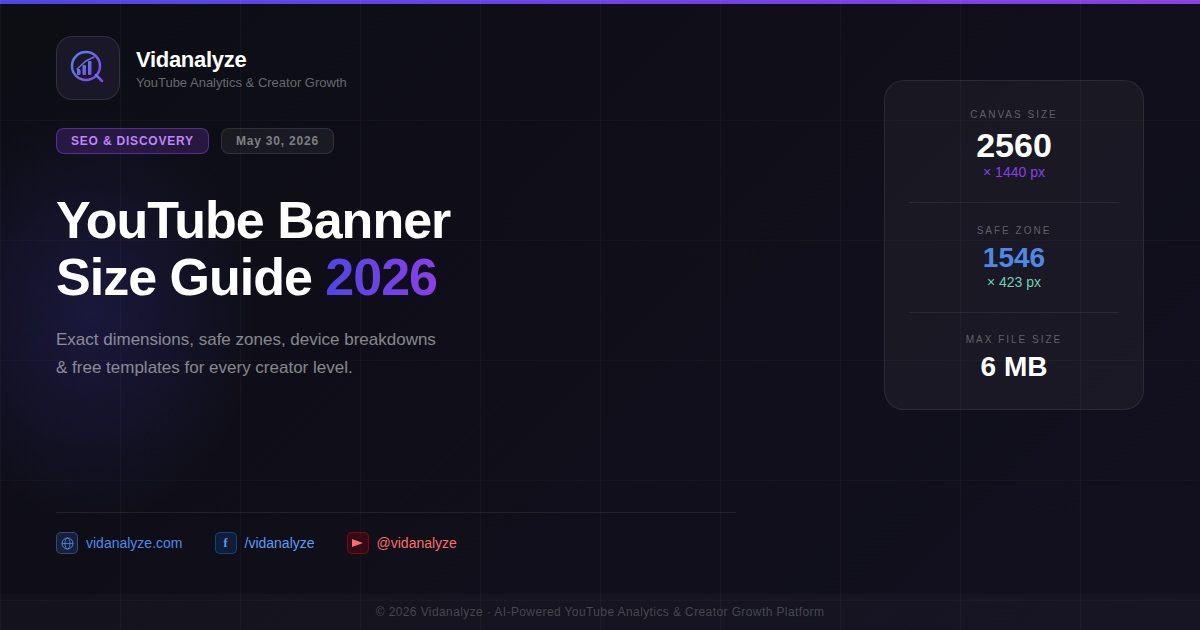
Recommended size: 2560 × 1440 px
Aspect ratio: 16:9
Safe zone (all devices): 1546 × 423 px
Minimum upload size: 2048 × 1152 px
Maximum file size: 6 MB
Supported formats: JPG, PNG, GIF, BMP, WebP
What is the correct YouTube banner size in 2026?
The standard YouTube channel banner size is 2560 × 1440 pixels, maintaining a 16:9 aspect ratio. This represents the full canvas displayed in channel art.
All uploads to YouTube should be designed at this resolution to ensure clarity across all devices, including TV screens and high-resolution desktops.
Best practice format: PNG (text/logos), JPG (photo-based designs)
Maximum file size limit: 6 MB
The minimum supported upload size is 2048 × 1152 pixels, but using smaller dimensions results in compression blur and loss of sharpness.
YouTube Banner Safe Zone (Most Important Concept)
The safe zone is the only area guaranteed to appear across all devices:
Safe zone size: 1546 × 423 px
Position: Centered inside the full 2560 × 1440 canvas
Why the safe zone matters
Different devices crop the banner differently:
TV: Full 2560 × 1440 visible
Desktop: Wide horizontal crop
Tablet: Partial crop
Mobile: Only safe zone visible
Since most traffic comes from mobile, any important text outside the safe zone will likely be invisible to most viewers.
Rule: Keep your logo, channel name, tagline, and schedule inside the 1546 × 423 px area.
Device-wise Display Behavior
TV
Full banner is visible. Best for background visuals and creative artwork.
Desktop
Shows a wide horizontal strip. Some edge content may appear but is inconsistent.
Tablet
Moderate cropping. Safe zone remains reliable.
Mobile
Only the safe zone is displayed. This is the most important view.
Why 1024 × 576 is incorrect
Older templates often suggest 1024 × 576, but this is below YouTube minimum requirements.
Problems include:
Heavy compression
Blurry visuals on desktop/TV
Loss of branding clarity
Always export at 2560 × 1440 px.
How to create a YouTube banner that works everywhere
Step 1 — Set canvas size
Use design tools like:
Canva (canva.com)
Adobe Express (adobe.com)
Figma (figma.com)
Set canvas to 2560 × 1440 px
Step 2 — Mark safe zone
Draw a centered box: 1546 × 423 px
Place all key branding inside it.
Step 3 — Design full background
Use the entire canvas for:
gradients
textures
photography
abstract visuals
Outer areas mainly support TV and desktop layouts.
Step 4 — Typography rules
Use bold fonts
Keep text large
Avoid thin or decorative fonts
Prioritize readability on mobile
Step 5 — Export correctly
PNG for text-heavy designs
JPG for photo backgrounds
Ensure final size is exactly 2560 × 1440 px
Free YouTube Banner Tools (2026)
Popular tools for creating banners:
Canva
Adobe Express
Snappa
Fotor
Design assets:
Unsplash (unsplash.com)
Pexels (pexels.com)
For advanced editing:
GIMP (gimp.org)
How to upload your YouTube banner
Upload your banner through YouTube Studio:
Open YouTube Studio
Go to Customization
Click Branding
Select Banner Image → Upload
Choose your 2560 × 1440 file
Preview across devices
Click Publish
Changes usually appear within minutes.
Design Tips Most Guides Ignore
1. Match thumbnails
Your banner and thumbnails should share:
colors
typography
visual tone
2. Avoid profile picture overlap
Bottom-left areas may be partially covered on desktop.
3. Don’t fake upload schedules
Inconsistent schedules reduce credibility.
4. Keep edges simple
Edges are often cropped differently across devices.
5. Refresh regularly
Updating every 2–4 months keeps your channel visually active.
Track More Than Design with Vidanalyze
A strong banner improves first impressions, but channel growth depends on performance metrics like retention, SEO, and engagement.
Vidanalyze helps creators analyze:
YouTube SEO performance
competitor tracking
audience retention
revenue estimation
AI-driven content insights
Learn more at Vidanalyze
Google Preferred Source
Add Vidanalyze to your trusted publications and get our news directly in your Google feed.